
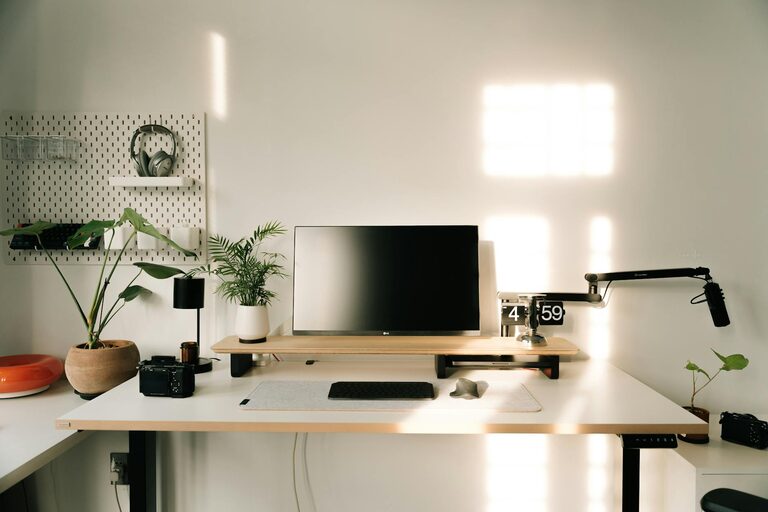
Working from home has become a common part of many people’s lives. Whether you’re a freelancer, remote employee, or running a small business, having a productive home office environment is essential. Creating a space that supports focus, motivation, and comfort can make a big difference in how well you work. This post shares practical tips to help you design and maintain a productive home office.
Why a Productive Home Office Matters
A well-organized, comfortable workspace can:
– Boost concentration and reduce distractions
– Improve posture and reduce physical strain
– Help separate work from personal life
– Encourage a routine that enhances efficiency
Choosing the Right Location
Find a Dedicated Space
Try to select a spot in your home that’s quiet and away from high traffic areas like the kitchen or living room. A dedicated corner or spare room is ideal because it signals to your brain that this area is for work.
Consider Natural Light
If possible, position your desk near a window. Natural light can improve mood and energy levels. Make sure you have some window treatments to control glare on screens.
Ergonomic Setup for Comfort and Health
Invest in a Quality Chair
A comfortable chair with good lumbar support can prevent back pain. Look for adjustable features to fit your body.
Arrange Your Desk Properly
Your computer screen should be at eye level, about an arm’s length away. Keep your keyboard and mouse at a height that allows your wrists to stay straight.
Use Accessories
Consider a footrest, wrist pads, or a standing desk option if you want to alternate between sitting and standing.
Organizing Your Workspace
Keep Essentials Within Reach
Store frequently used items like pens, notepads, and chargers nearby. This minimizes distractions and interruptions.
Declutter Regularly
A tidy space reduces stress and helps you focus. Use trays, shelves, and storage boxes to organize documents and supplies.
Incorporate Cable Management
Loose cords can look untidy and cause accidental unplugging. Use clips, sleeves, or cable boxes to keep wires neat and out of sight.
Lighting and Ambiance
Use Multiple Light Sources
Besides natural light, have a desk lamp and overhead light. Adjustable lighting lets you control brightness depending on the time of day or task.
Personalize Thoughtfully
Adding plants, artwork, or photos can make your space more inviting. Avoid overdecorating as too much visual stimuli can be distracting.
Minimize Distractions
Set Boundaries
If you live with others, communicate your working hours and the importance of minimizing interruptions. Using noise-cancelling headphones or soft background music can also help.
Manage Digital Interruptions
Turn off unnecessary notifications on your phone and computer. Consider apps that block social media or websites during focus periods.
Establish a Routine
Designate Work Hours
Setting a schedule helps you maintain a balance between work and personal life. Try to start and finish your workday at consistent times.
Take Regular Breaks
Short breaks every hour can boost productivity and reduce eye strain or muscle fatigue. Use breaks to stretch, walk, or relax your mind.
Use Technology Wisely
Optimize Your Equipment
Ensure your computer and internet connection are fast enough for your tasks. Consider investing in peripherals like a second monitor to increase efficiency.
Organize Digital Files
Create a clear folder structure on your computer and back up important files regularly to avoid losing work.
Conclusion
Creating a productive home office environment is about combining comfort, organization, and focus-friendly elements. By selecting the right space, setting up ergonomic equipment, minimizing distractions, and maintaining a consistent routine, you can improve your work performance and well-being. Experiment with these tips to find what works best for you, and enjoy the benefits of a home office designed for success.